- Moodboard
- Posts
- A faster way to create ad campaigns ⚡️
A faster way to create ad campaigns ⚡️
How to generate an entire ad campaign in one Claude conversation

Ryan Carr
February 05, 2026


Hello everybody, welcome back to Moodboard 🌴
As you may remember from a couple of weeks ago, I've been playing around with Flora a lot lately.
We’ve been combining the power of that tool with prompts from the Moodboard Prompt Database to build some crazy efficient workflows.
Today, I want to share one of my favorites: a system that generates a whole campaign of unique ad concepts in minutes, starting from a single meta-prompt.
The whole thing (from pasting the prompt into Claude to having 8+ finished ad images) can take as little as 5 minutes.
Ready to see how it works? Let's dive in 👇
I used to approach AI ad creation one image at a time.
I’d write a prompt, generate an image, realize it's not quite right, tweak the prompt, generate again, repeat.
The problem with that workflow is that it’s fairly slow, and you end up with a scattered collection of concepts that don't feel cohesive.
I wanted a way to ideate an entire ad campaign at once, where every concept shares the same visual language, but each one highlights a different angle or value proposition.
This workflow does exactly that!
The Process
Step 1: Fill In the Context and Run the Meta-Prompt
Start with this meta-prompt from the Moodboard Prompt Database 👇️
You are an expert creative director specializing in digital advertising who excels at crafting compelling visual concepts that drive conversions. I need your help creating eye-catching square image ads for my product.
Product description: [PASTE YOUR PRODUCT DESCRIPTION HERE]
Ad style preferences: [ENTER YOUR STYLE PREFERENCES HERE]
Please provide me with 8 detailed image prompts I can input directly into an AI image generator to create square Meta ad images.
Before writing these prompts, carefully analyze my product description to identify core value propositions using the strategic thinking approaches of Joseph Sugarman and Gary Halbert.
Consider emotional benefits, practical solutions, unique advantages, and attention-grabbing hooks - but do not list these separately in your response.
Each prompt should:
1. Be highly specific about visual elements, composition, style, and mood
2. Include color schemes that match my reference images and complement my product
3. Be optimized for square format (1:1 ratio) social media ads
4. Incorporate visual elements and branding from any attached reference images
5. Match the overall aesthetic described in my style preferences
6. Specify exact, concise ad copy (maximum 20-25 words) that powerfully communicates a value proposition
7. Avoid generic or clichéd iconography (like random arrows, checkmarks, or standard stock imagery symbols)
8. Use meaningful imagery that directly connects to the product benefits and value proposition
Your response should contain ONLY the 8 numbered image generation prompts, each ready to copy/paste into an image generator and beginning with "Please create…".
You need to fill in two fields:
Product description: What are you selling? What does it include, who is it for, what's the price, what makes it different? Be specific. The more detail here, the better the ad copy will be.
Ad style preferences: Describe the visual world you want these ads to live in. Reference specific artists, color palettes, moods, composition styles.
PRO TIP: If you've already been working on this product in Claude (writing sales pages, brainstorming positioning, developing brand assets) you can just ask Claude to fill in both fields for you. It already has the context it needs.
For example, I just said "fill in the context for the Moodboard Prompt Database and then ideate" and Claude pulled from everything we'd already worked on together.
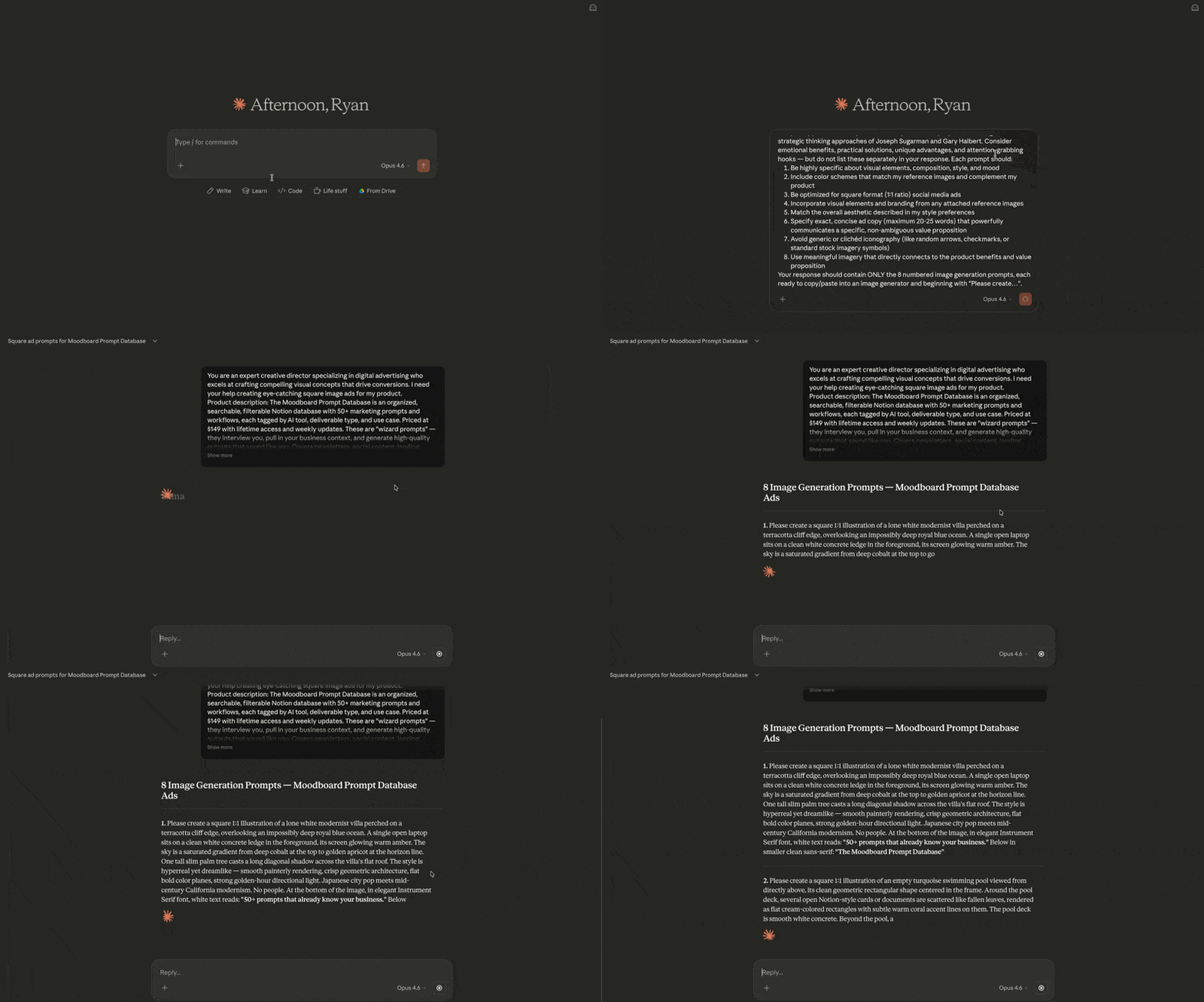
Step 2: Iterate on the Prompts Inside Claude
Once Claude generates your first batch of image prompts, don't necessarily just accept them. Read through this first set of prompts, and refine as needed.
Here's what I iterated on in my session:
I told Claude to lean harder into "Japanese city pop art" style. The first version was too generic "vintage travel poster." One note fixed all 8 prompts at once.
The first headlines were too vague for someone scrolling who'd never heard of the product. I asked for less ambiguous copy and every headline got rewritten to be more specific and direct.
I specified Instrument Serif for all headlines. One note, all 8 updated.
This is your opportunity to steer the whole batch of ads in one place.
Step 3: Bring It Into Flora
Once you're happy with the prompts, copy the entire block of 8 and paste it into Flora.
To make it easy for you, I created a templated Flora workflow for Moodboard readers.
The flow works like this:
One text input contains all 8 prompts together (just copy/paste the whole list that Claude gives you)
8 splitter nodes each extract a single prompt. Each one is just instructed to "output only prompt #1 from this list with no number preceding it," "output only prompt #2," etc.
8 Nano Banana Pro nodes each receive one prompt
Attach one or more reference images to each Nano Banana Pro node. At minimum, this could be a screenshot of your landing page or existing brand assets. You can add more reference images to tighten the aesthetic further.
All you have to do is paste the full list of 8 prompts in the first text node, attach your reference images, and run!
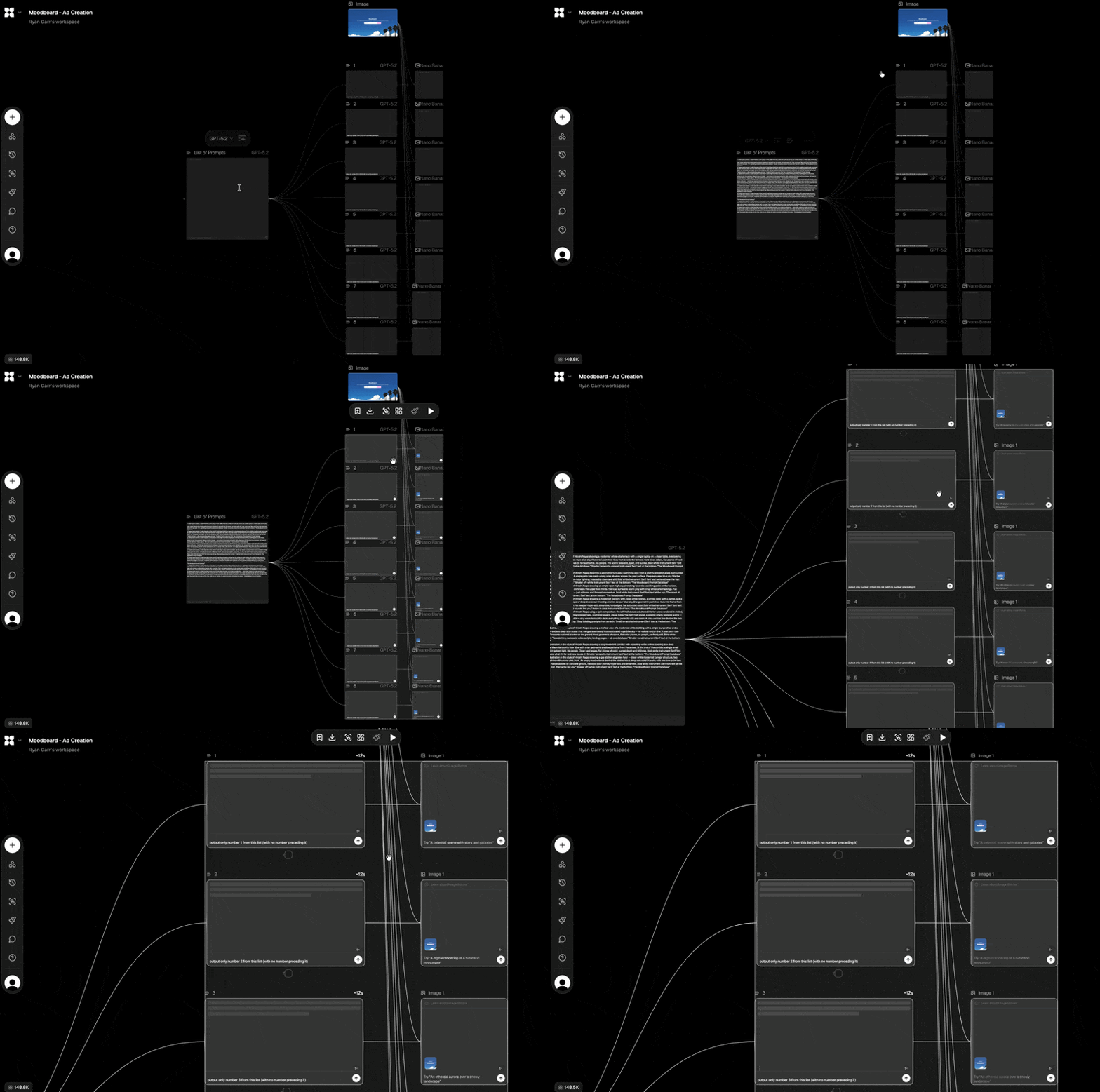
Hit run, and all 8 variations generate in parallel 🤯
Step 4: Pick, Review, and (If Needed) Iterate Some More
You should now have 8 ad concepts ready to review.
If a few images need tweaking, you can adjust individual prompts and regenerate just those.
But here's what's really nice about this workflow: if the entire batch feels off, you can just go back to your conversation with Claude and adjust all 8 prompts at once.
Maybe the overall style isn't landing, or the copy angle needs to shift. Maybe you want to try a completely different visual direction.
One round of feedback in Claude, copy the updated prompts back into Flora, hit run again. The whole batch regenerates with your new direction applied globally.
This secondary iteration loop is what makes the workflow so efficient. You don’t have to tweak one image at a time, you can update the whole campaign.
Once you've got concepts you're happy with, upscale your favorites directly within Flora for production use.
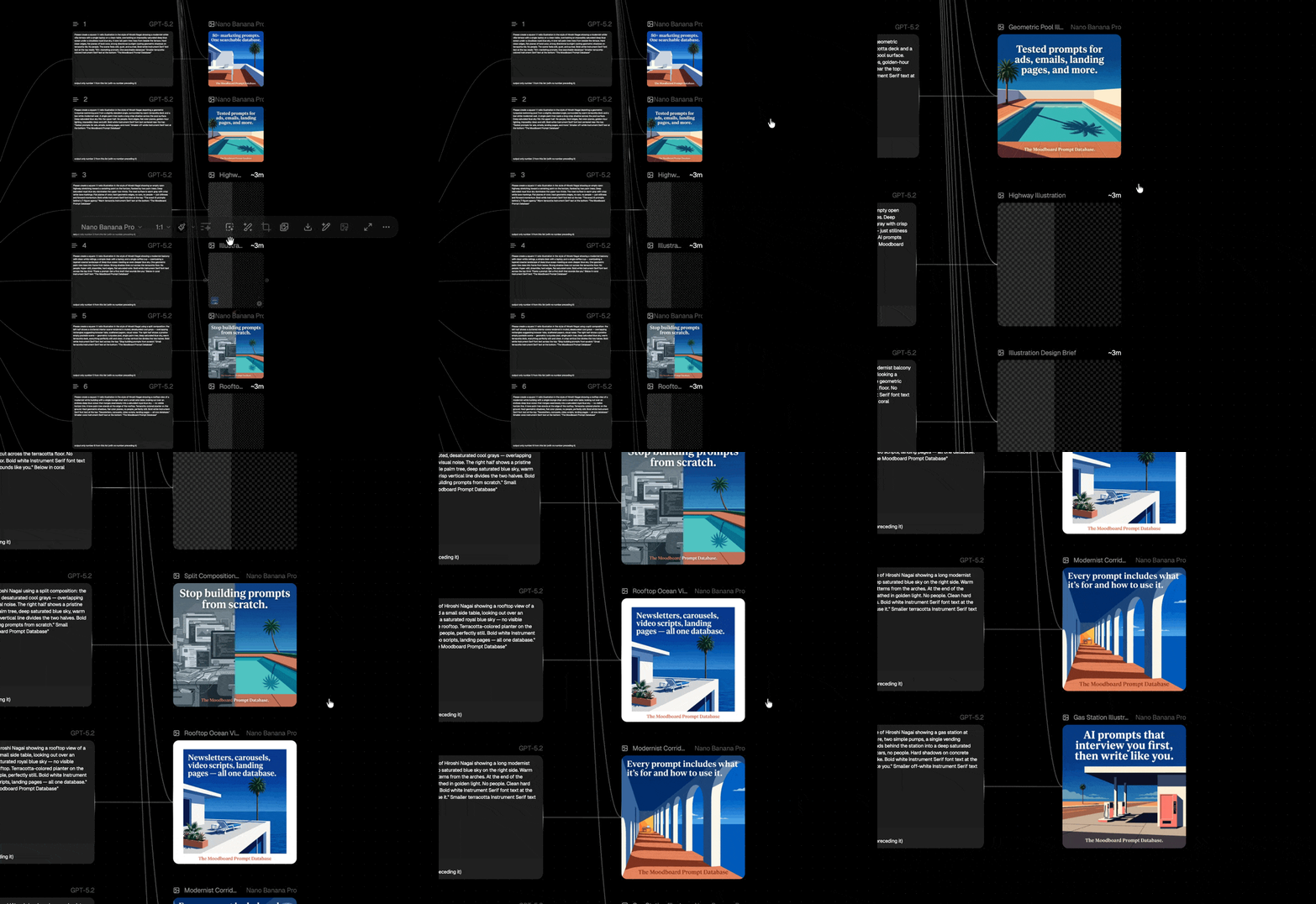

The next time you need ad concepts, try this batch approach instead of generating one-off images.
We use this workflow constantly to ideate new ad concepts for clients we work with at Tailwind, and it's just another one of those AI marketing workflows that still feels like magic 🪄
Want more from the Moodboard team?
Get all of our prompts: The Moodboard Prompt Database is our team's personal collection of every prompt and workflow we use day-to-day. Organized, searchable, and updated weekly. One-time purchase, lifetime access.
Learn our whole system for yourself: Vibe Marketer OS is our 12-module training program that teaches you the AI-powered systems and workflows I use to run Moodboard and our agency. Everything from newsletters to landing pages to image generation and AI video. You get the full self-guided program, a community of vibe marketers + weekly office hours, and lifetime access to all future curriculum updates.
Let us build and grow your newsletter: Tailwind is our done-for-you newsletter agency. We handle the content, growth, and operations so you can focus on running your business.
 | Until next time, Ryan Carr  Chief Vibe Officer @ Moodboard PS: Subscribe to our YouTube channel for weekly video walkthroughs of Moodboard workflows and more! |