- Moodboard
- Posts
- A tool that chains AI models together for you 🤝
A tool that chains AI models together for you 🤝
Our new secret weapon for newsletter creation, social posts, and ads.

Ryan Carr
January 15, 2026


Hello everybody, welcome back to Moodboard 🌴
Today, I want to walk you through a tool that's quietly become one of the most useful additions to our AI toolkit.
Flora is a node-based workspace for building multi-modal AI workflows. It allows you to connect different AI models together in a visual flowchart where the output of one model becomes the input of another.
We've been using Flora for building newsletters, social posts, and ads, and I've been genuinely impressed at how much time it saves.
Today, I want to walk you through one of the workflows we've built (and give you a link to the template) so you can see it in action and get some ideas for your own applications.
Let's dive in 👇
What is Flora?
If you remember the edition of Moodboard covering tldraw.computer, Flora operates on a similar principle (but it's built specifically for chaining AI models together).
The interface lets you create "nodes" that each perform a specific function. You connect these nodes with simple lines, and data flows from one to the next. Text goes in one end, and you can get text, images, or both out the other end.
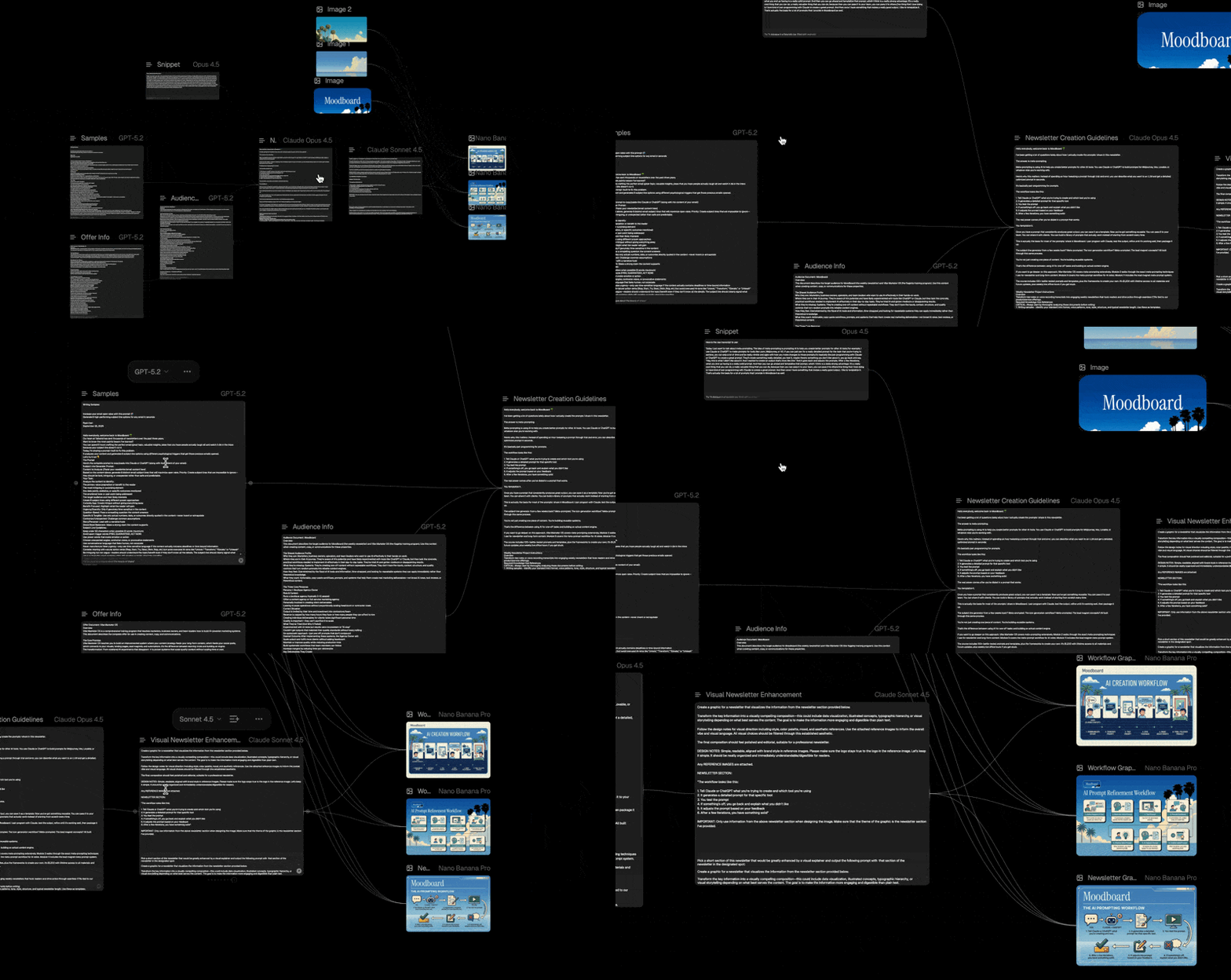
As I’ve said many times before in this newsletter, the real alpha for marketers using AI isn't necessarily in using a single AI model, it's in combining them.
Claude is great at writing. Nano Banana Pro is great at generating images with accurate text. Veo creates realistic, cinematic video.
Flora lets you build workflows that use the right model for each step, automatically passing information between them.
For managers and team leads, there's another benefit: you can templatize and share workflows with your team.
Build a workflow once, and anyone on your team can use it by simply filling in the inputs. No additional prompt-engineering required on their end.
This has made Flora a natural home for many of our past Moodboard workflows, especially those that involve multiple models (like our ad workflow that combines Claude + Nano Banana).
Let’s look at a specific workflow we've been using to speed up newsletter creation.
It takes rough ideas and notes, turns them into a complete newsletter draft, identifies the best section for a visual, and generates three infographic options with Nano Banana Pro (all in one click!).
Each node is labeled so that you can follow along as you build out a version of the workflow for your own newsletter.
Here's how to use it 👇
The Four Inputs
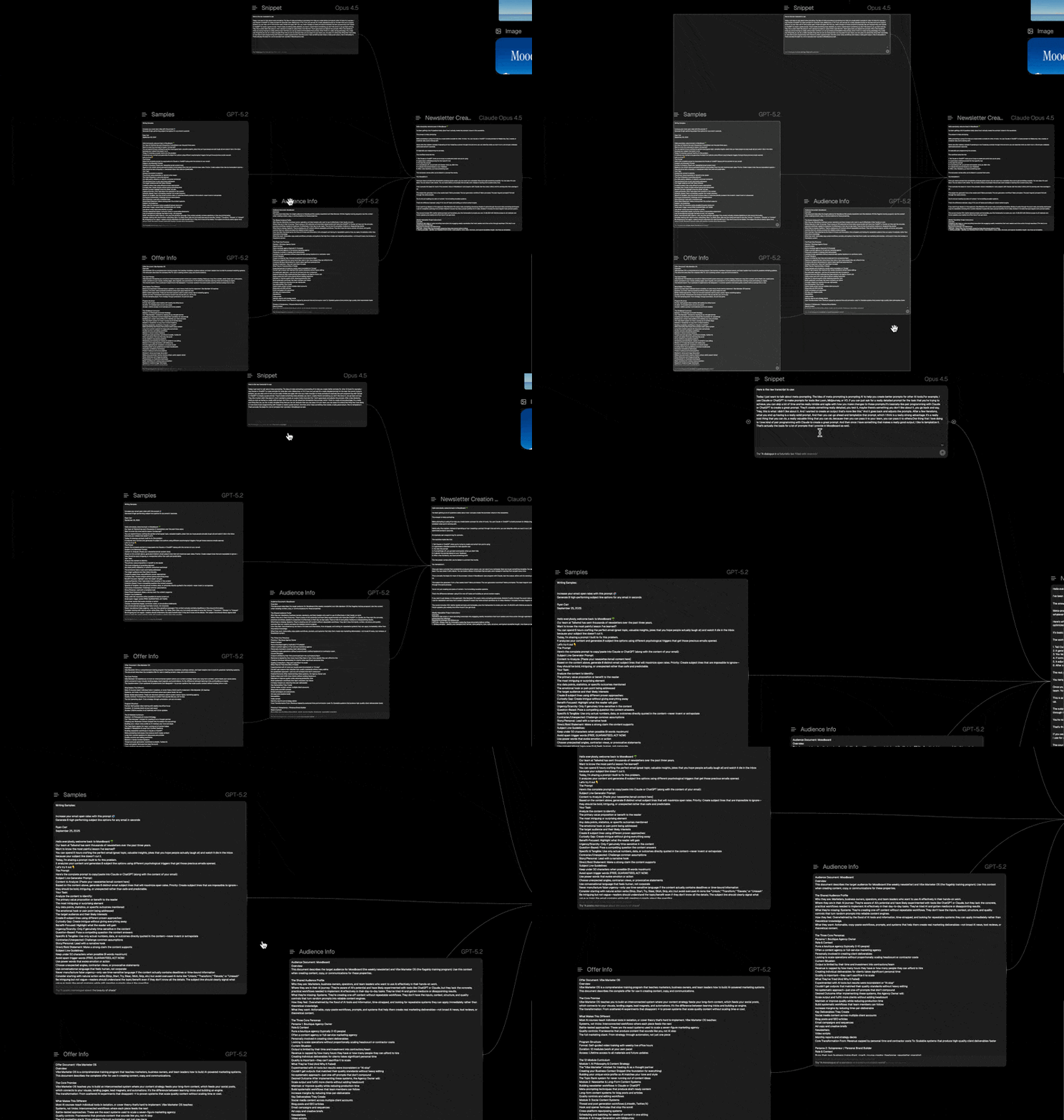
The workflow starts with four "text node" inputs that you’ll need to fill out:
A snippet: The subject of your newsletter. This can be an outline, some unorganized notes, or just a rambling transcript of you talking about the topic (I use Wispr Flow to dictate these). It doesn't need to be polished.
Writing samples: Copy/paste some writing samples that you’d like to use to inform the tone and structure of the newsletter.
Audience information: Details about who the target audience is and what they care about.
Offer Info: Include any information about products or services you’re wanting to plug at the end of the newsletter.
The Processing Steps
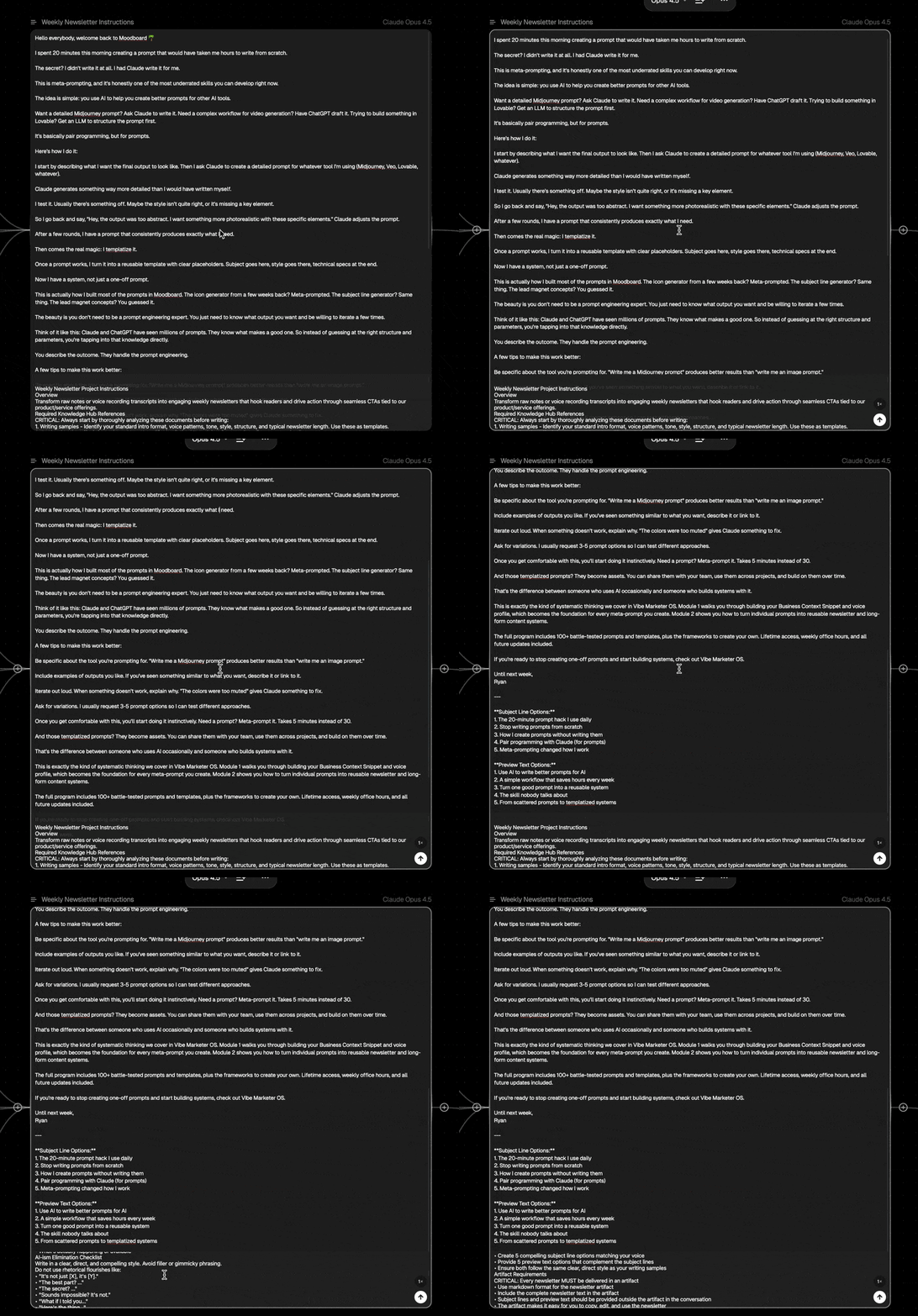
Step 1: Newsletter Creation
All four inputs feed into the newsletter creation node, powered by Claude Opus 4.5. This node contains the core newsletter prompt that structures the content, maintains the voice, and produces a complete draft.
Step 2: Infographic Identification
The completed newsletter then passes through another text node. This one analyzes the draft and identifies a section that would make for a compelling visual (stuff like a key stat, a framework, or a process worth illustrating).
It then wraps that section in our infographic design prompt, so that it’s ready to pass to the Nano Banana Pro nodes.
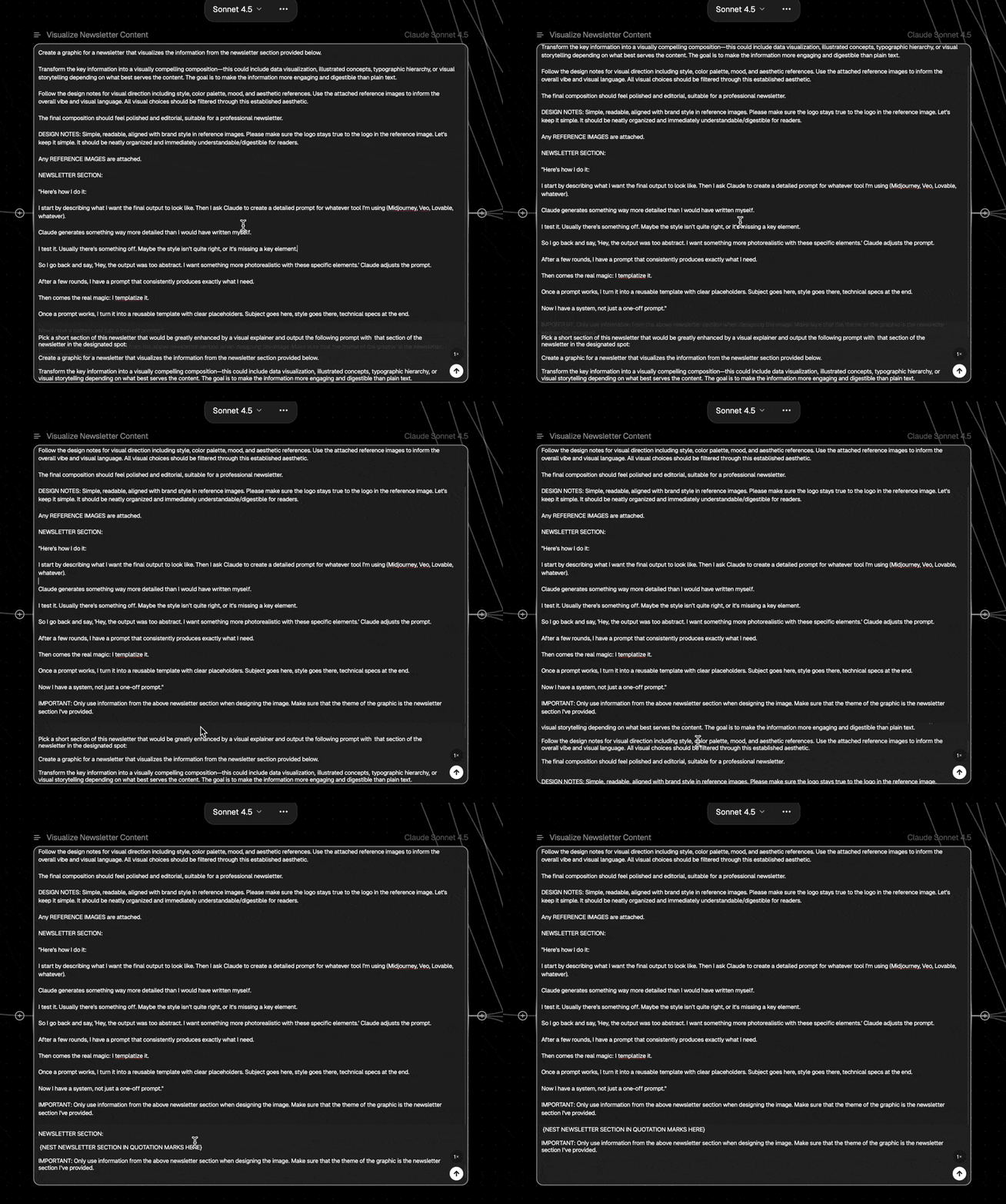
Step 3: Image Generation
Finally, that completed prompt (plus three reference images) gets sent to three separate Nano Banana Pro nodes. Each node generates a different take on the infographic, giving you options to choose from.
Important: The template includes reference images from Moodboard's visual style. You'll want to swap these out for images that match your own brand aesthetic.
To do this, click on each of the three image input nodes and replace them with 2-3 examples of graphics or visuals that represent the look you're going for.
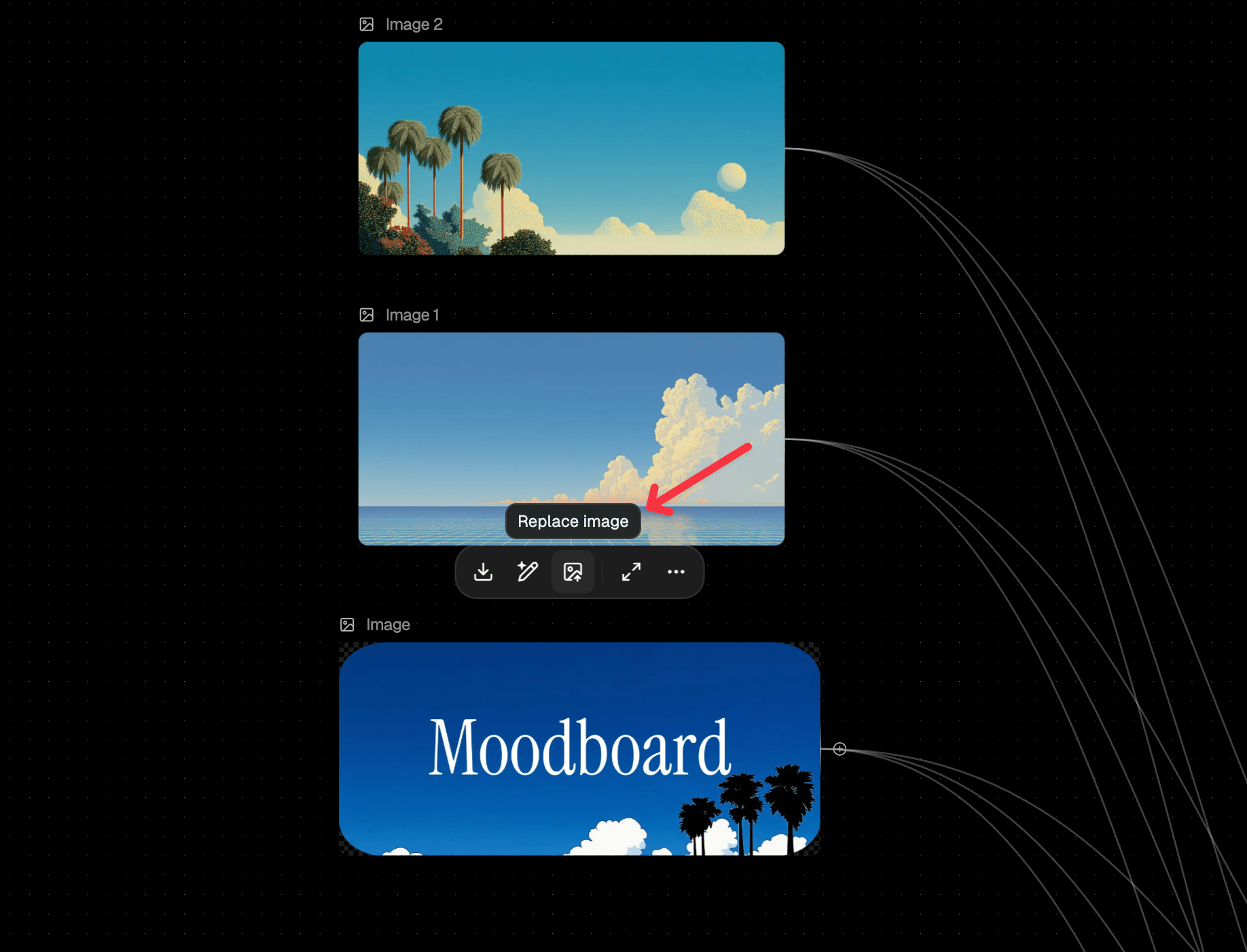
Nano Banana will use these as style references when generating your infographics.
Run it!
To get it started, simply drag and your mouse over the nodes from the processing steps (the newsletter creation node, the visual identification node, and the three Nano Banana Pro nodes), and hit the ‘Run’ button.
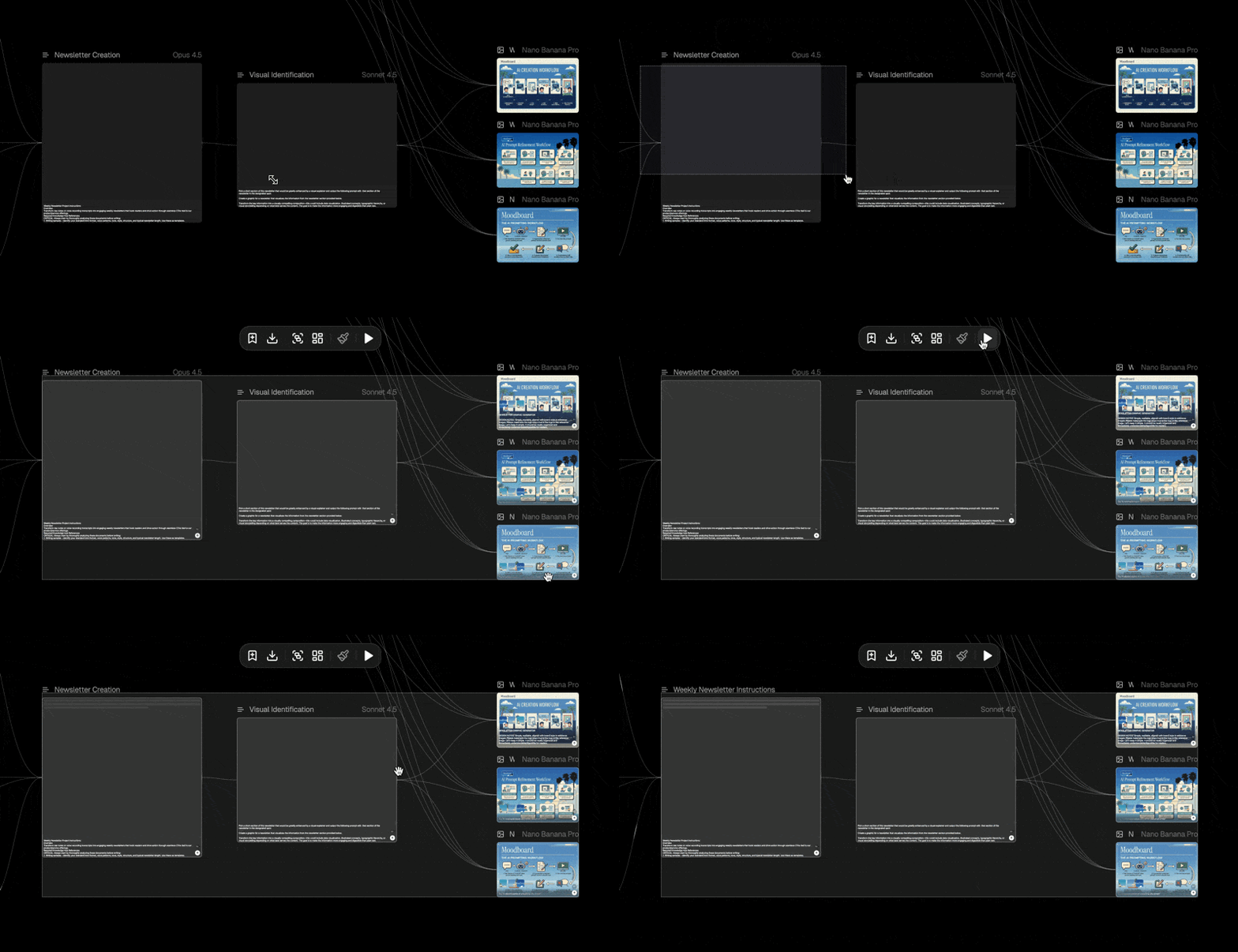
In a single workflow run, you’ll get:
A complete newsletter draft in your voice
Three infographic options ready to review
Everything organized and easy to iterate on
The whole thing takes about 2-3 minutes to run. I love how reliable it is, my team loves how fast it is.

Try Flora with Moodboard Workflows
We've found a ton of new value in going back through past Moodboard prompts and building them out as Flora workflows.
Our ad creation system works great as a Flora workflow. Our viral LinkedIn post prompt levels up when you can chain it with images generated from Nano Banana Pro.
If you want access to 50+ powerful Moodboard prompts that you can use across all of your marketing workflows, they're all in the Moodboard Prompt Database. It’s an organized, searchable database that covers the entire modern marketing stack (and gets updated every week 👀).
Want more from the Moodboard team?
Learn our whole system for yourself: Vibe Marketer OS is our 12-module training program that teaches you the AI-powered systems and workflows I use to run Moodboard and our agency. Everything from newsletters to landing pages to image generation and AI video. You get the full self-guided program, a community of vibe marketers + weekly office hours, and lifetime access to all future curriculum updates.
Let us build and grow your newsletter: Tailwind is our done-for-you newsletter agency. We handle the content, growth, and operations so you can focus on running your business.
 | Until next time, Ryan Carr  Chief Vibe Officer @ Moodboard PS: Subscribe to our YouTube channel for weekly video walkthroughs of Moodboard workflows and more! |